

Installing display-level blue-light filter software like Lumina Filter is the practical fix: it warms your Mac or Windows screen and cuts short-wavelength emission without dulling your display. Do this before bed and your eyes feel less strained, and most users report falling asleep more easily. Strength is adjustable, so you keep working in full color during the day and warm things up gradually after sunset.
TL;DR:
- Display-level blue-light software like Lumina Filter offers adjustable strength, per-app exceptions, and spectrometer-backed validation for reducing short-wavelength light effectively.
- Subjective comfort improves significantly, with some studies reporting a 52% decrease in eye strain and a 28% perceived improvement in sleep quality, despite limited objective sleep data.
- Unlike limited OS modes or glasses, software provides real-time control, avoids the need for wearing accessories, and is more effective in environments sharing screens or devices.
- Setting up involves gradual tuning over a week, with recommended warm color temperatures around 2700 to 3000 Kelvin before sleep, and using automatic sunset scheduling for best results.
- Lumina Filter's spectrometer-tested accuracy ensures it reduces blue light precisely without washing out display quality, offering a low-risk way to improve evening eye comfort.
Table of Contents
- How display-level blue-light filtering software reduces short-wavelength light
- What the research says about perceived comfort versus objective sleep gains
- Is filter software better than Night Shift or blue-light glasses?
- How do you set up and tune a blue-light filter app on Mac and Windows?
- Why Lumina Filter is built around spectrometer-tested accuracy
- A software developer's take on filtering software worth trusting
- Start Your Free Trial of Lumina Filter Today
- Sources
How display-level blue-light filtering software reduces short-wavelength light
Blue light spans the 400 to 500 nanometer range, and the short end of that band, around 460 nm, does the most work suppressing melatonin and signaling your brain that it's daytime. That's the slice filtering software actually targets, not the whole visible spectrum.
Here's what happens under the hood. The software pulls down the blue channel in your display's RGB output and shifts the overall color temperature warmer, similar to moving a photo from daylight to tungsten lighting. Good implementations use metamerism, a technique that rebalances color output so a warmer image still reads as the "correct" color to your eye, even though the raw wavelength mix has changed. That's how you get a warmer screen without your photos turning orange.
Intensity control matters just as much as color shifting. Software that adjusts brightness and duty cycle alongside color temperature gives you a smoother comfort curve than a flat overlay. This is why display-level processing outperforms a simple colored film or overlay: it's rebalancing the actual pixel output rather than tinting everything uniformly, which keeps text sharp and contrast intact.
The tradeoff shows up during color-critical work. Push the filter strength high while editing photos or grading video, and you'll shift your color judgment along with the display. That's where adaptive modes earn their keep, letting you drop filtering to zero for specific apps while keeping it active everywhere else.
What the research says about perceived comfort versus objective sleep gains
The evidence here splits cleanly into two camps, and knowing the difference keeps your expectations grounded.
On one side, the Cochrane systematic review of blue-blocking spectacle lenses found little to no evidence that glasses improve short-term eyestrain, and the sleep data is low-certainty at best. A separate meta-analysis of blue-blocking interventions reached a similar conclusion: objective outcomes are inconsistent across trials, and better-designed studies are still needed.
On the other side, display-plus-software approaches tell a different story when you ask people how they feel rather than measuring their sleep with a lab sensor.
- A 9-week in-home study found self-reported eye strain dropped 52% and perceived sleep quality rose 28% with a blue-light-reducing display and software combination.
- Objective sleep metrics in that same study barely moved.
- A separate lab evaluation found that reducing short-wavelength content and adapting to ambient brightness produced measurable gains in visual comfort compared to unfiltered displays.
That gap between subjective and objective results isn't a contradiction. Eye comfort and sleep hygiene are experiences you feel, not just numbers a sensor reports, and feeling more comfortable at your desk at 9 p.m. has real value even if a sleep tracker doesn't register a dramatic shift. Products backed by spectrometer testing and peer-reviewed data give you more confidence that the comfort you're feeling maps to an actual change in the light hitting your eyes, not just a placebo effect from a warmer-looking screen.
Is filter software better than Night Shift or blue-light glasses?
Each approach handles the problem differently, and the right pick depends on what you're doing and when.
Night Shift and similar OS-level modes apply a color-temperature overlay tied to your clock or location. They're convenient and built in, but they offer limited spectral control. You get one preset curve, not an adjustable filter you can tune to your environment or task.
Blue-blocking glasses take a different route. They filter light at the point it enters your eye, which makes them portable across any screen, book, or window. But you have to remember to wear them, they change what everyone around you sees on your face, and the evidence for how well they reduce eyestrain is mixed at best, per the Cochrane findings above.
Display-level software like Lumina Filter works at the source. It gives you:
- Real-time adjustable strength instead of one fixed setting
- Per-app exceptions so color-critical work stays accurate
- No glasses to wear, clean, or forget at the office
- Spectrometer-backed validation of how much short-wavelength light is actually reduced
Pro Tip: If you share a desk with a monitor other people use during the day, dedicated software beats glasses outright. Everyone sees the same warmed display without anyone needing to put anything on their face.
Choose glasses if you move between multiple screens and devices throughout the day and want one portable fix. Choose software if you work primarily at one or two displays and want finer control tied to your actual schedule.
How do you set up and tune a blue-light filter app on Mac and Windows?
Getting the setting right takes about a week of small adjustments, not one lucky guess.
Start with your selection checklist. Look for:
- Adjustable filter strength, not a single on/off toggle
- True display-level processing rather than a colored overlay
- Spectrometer-backed testing behind the product's claims
- Automatic scheduling tied to sunset and sunrise
- Compatibility confirmed for your macOS version or Windows 10/11
- A color-critical preset or per-app exception list
Once installed, tune it in stages rather than cranking strength to maximum on night one.
- Install the app and leave strength low for the first evening.
- Turn it on about two hours before your usual bedtime and notice how your eyes feel.
- Increase strength gradually over the next few nights until the screen feels warm but not distractingly orange.
- Add exceptions for photo editors, video tools, or any app where accurate color matters.
A few settings are worth enabling right away: automatic scheduling that follows sunset, ambient-light sensor integration if your setup supports it, and a quick-toggle hotkey for moments you need full color back fast. Industry guidance generally points to warm color temperatures around 2700 to 3000 K in the two to three hours before sleep, which is a reasonable target to tune toward.
If colors look off in an image editor, check your per-app exception list first. If you're on an external monitor, make sure the filter is applied at the OS or app level rather than through the monitor's own settings, since stacking both can produce unpredictable results. HDR content sometimes needs its own toggle, since HDR's wider color range can interact oddly with aggressive blue reduction.
Why Lumina Filter is built around spectrometer-tested accuracy
Lumina Filter reduces blue light at the display level while keeping your screen looking sharp, not washed out or tinted like a cheap overlay. That distinction matters once you've tried a blunt filter that turns every white background orange by 6 p.m.
Every strength setting is tunable in real time, and per-app presets mean your photo editor or video software can stay on full color while everything else warms up. The spectrometer-backed testing behind Lumina Filter measures the actual reduction in short-wavelength output rather than relying on a marketing claim, which is the same standard the peer-reviewed studies above use to separate real signal from wishful thinking.
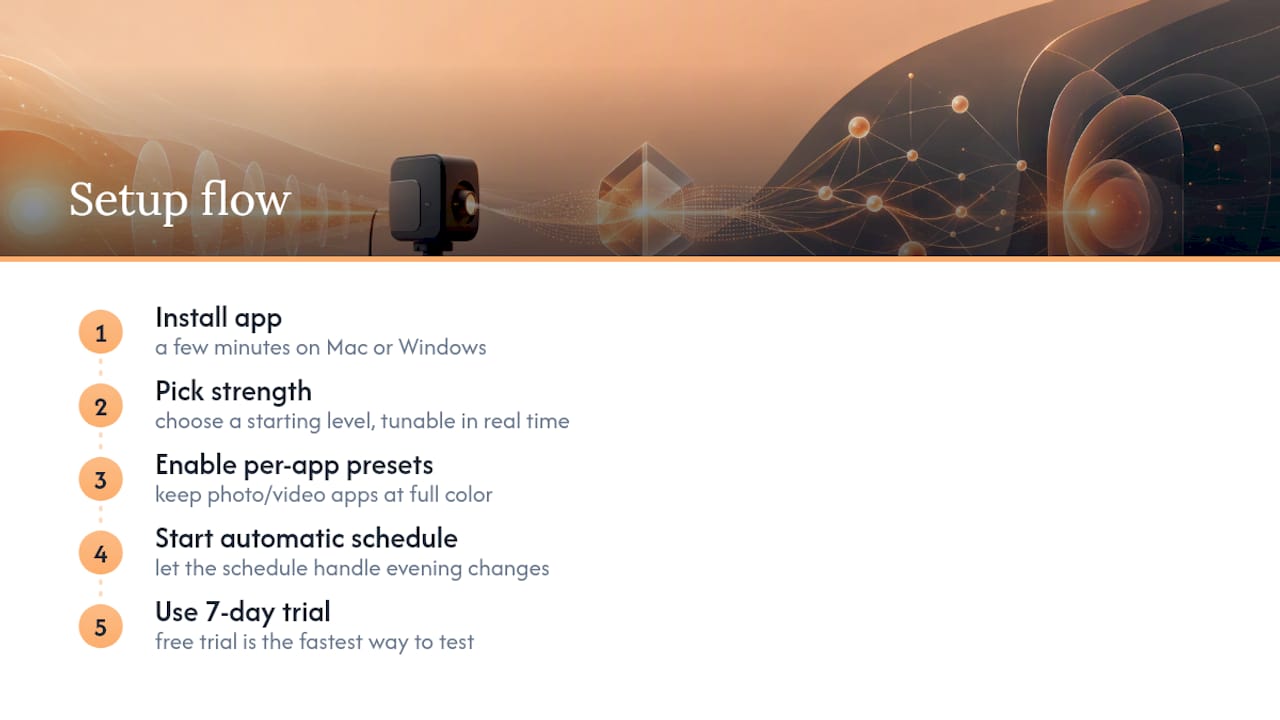
Setup takes a few minutes on either Mac or Windows: install, pick a starting strength, and let the automatic schedule handle the rest. The free 7-day trial is the fastest way to see if it fits your evening routine.
A software developer's take on filtering software worth trusting
. Based on how the evidence breaks down, my honest read is that display-level filtering earns its place in an evening routine, not because it's a miracle fix, but because the comfort gains are real and low-risk to test yourself.
Run a simple 7-night experiment. Track how your eyes feel by 9 p.m. and roughly how fast you fall asleep, using a notebook or your phone's notes app. Compare night one against night seven with the filter running consistently. You don't need a lab-grade sleep tracker to notice whether your eyes feel less gritty by the end of a workday, and that's the metric that actually affects how your evenings feel.
— Dave
Start Your Free Trial of Lumina Filter Today
Lumina Filter gets you real, adjustable blue-light reduction tonight, not a generic overlay that guesses at the right color temperature for your room. Where Night Shift gives you one fixed curve and glasses require you to remember to wear them, Lumina Filter runs quietly at the display level and adjusts strength to match your schedule, your monitor, and the work you're doing.
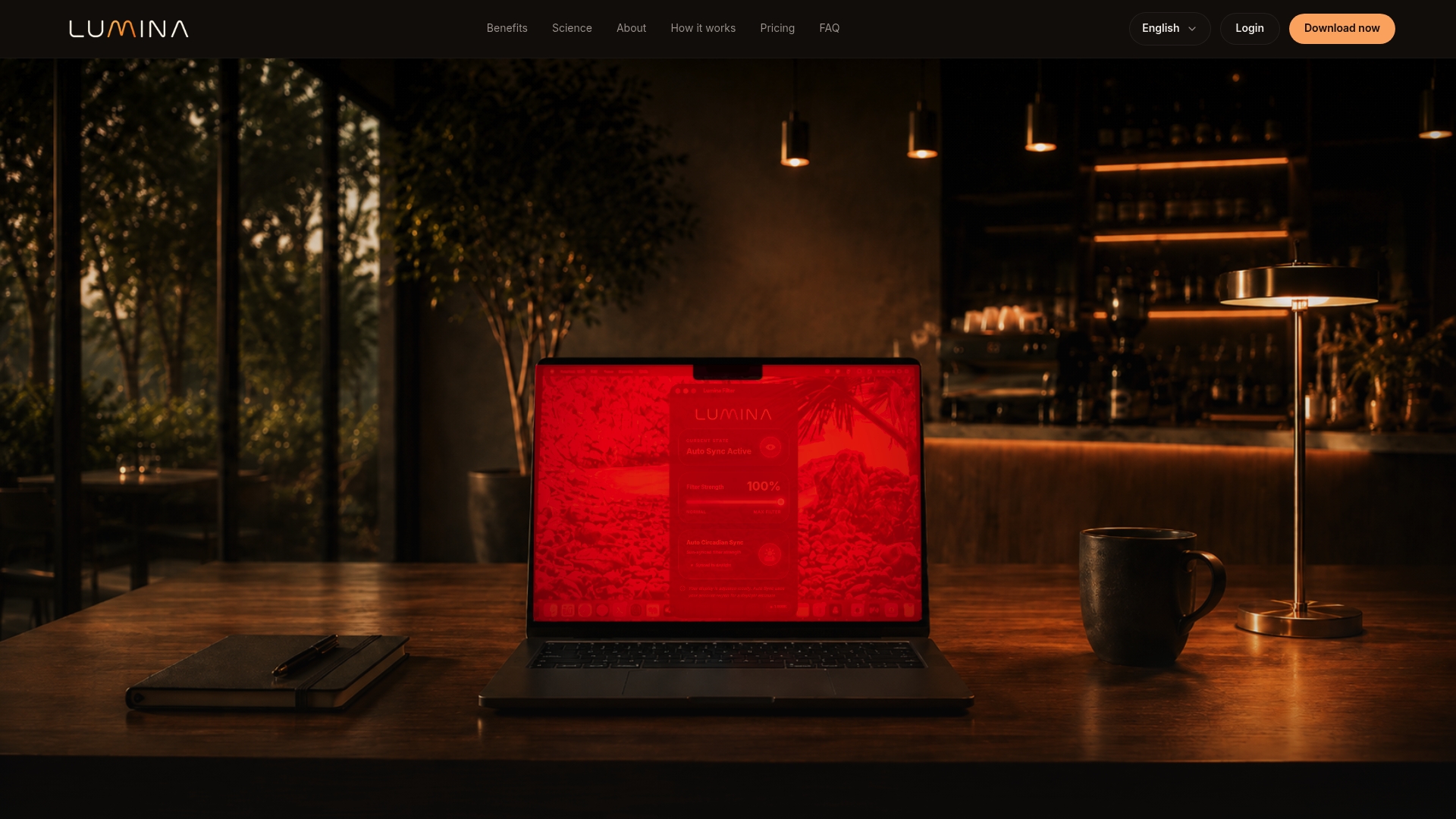
The free 7-day trial works on both Mac and Windows, so you can test it on whatever machine you're reading this on right now. If you want to see the spectrometer data behind the science before you commit, that page walks through exactly how the reduction was measured. After the trial, monthly, quarterly, and annual subscription options are available depending on how you want to pay. Install it, set your evening schedule, and give your eyes a week to notice the difference.
Sources
- Effects of a Blue Light–Reducing Laptop Display and Software on Objective and Perceived Sleep, Eye Strain, and Productivity — Sleep (DOI)
- Mitigating Blue-Light Risk in Display-Based Digital Therapeutics: A Practical Framework to Support Clinical Efficacy — PMC
- Cochrane Review: blue-light filtering spectacle lenses — Cochrane